Download LoanPro for Windows
Install LoanPro on your Windows computer and start managing your shop without paper registers.
See LoanPro in action
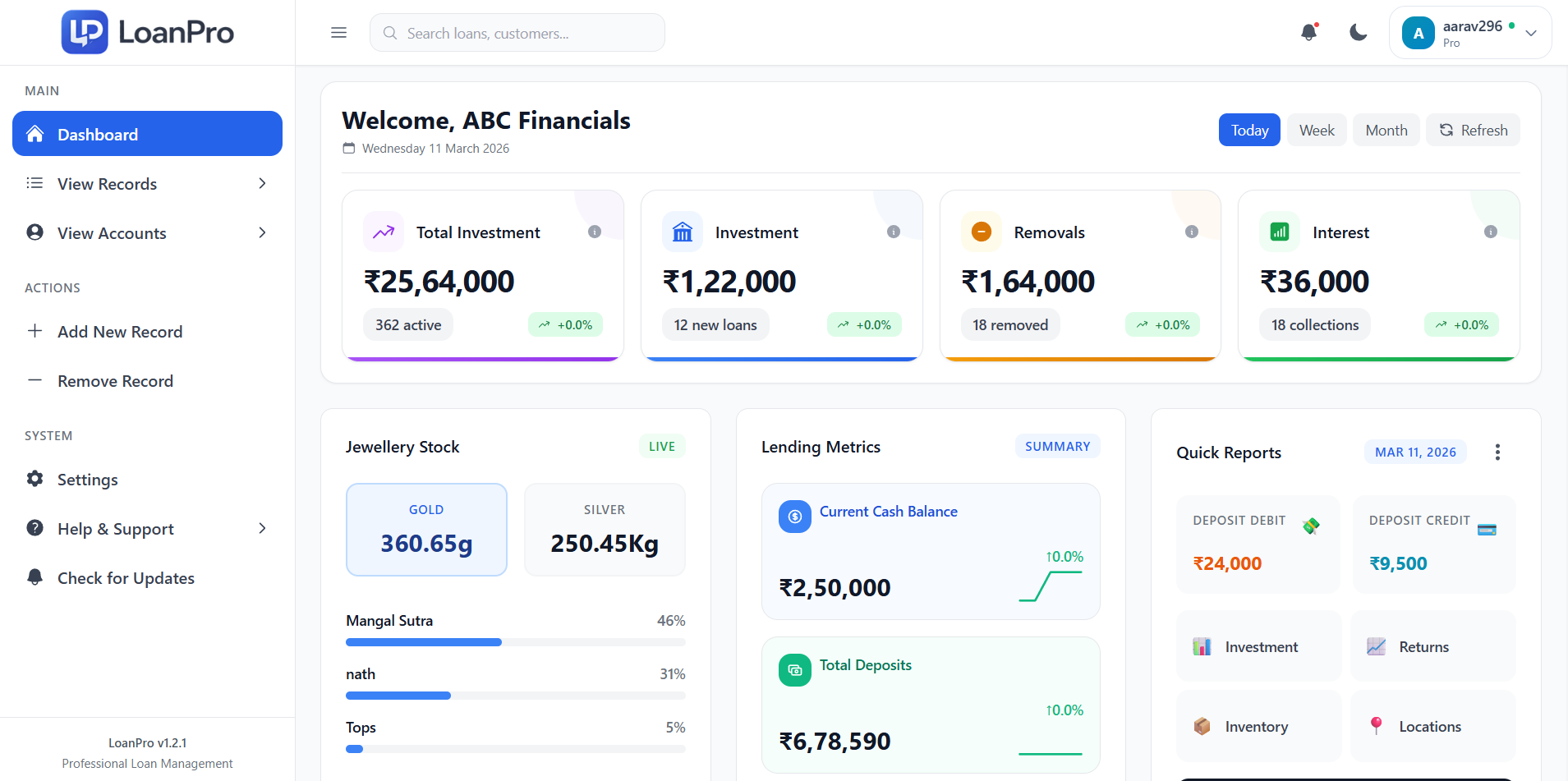
Main Dashboard
Real-time snapshot of collections, receivables, and daily operational status.
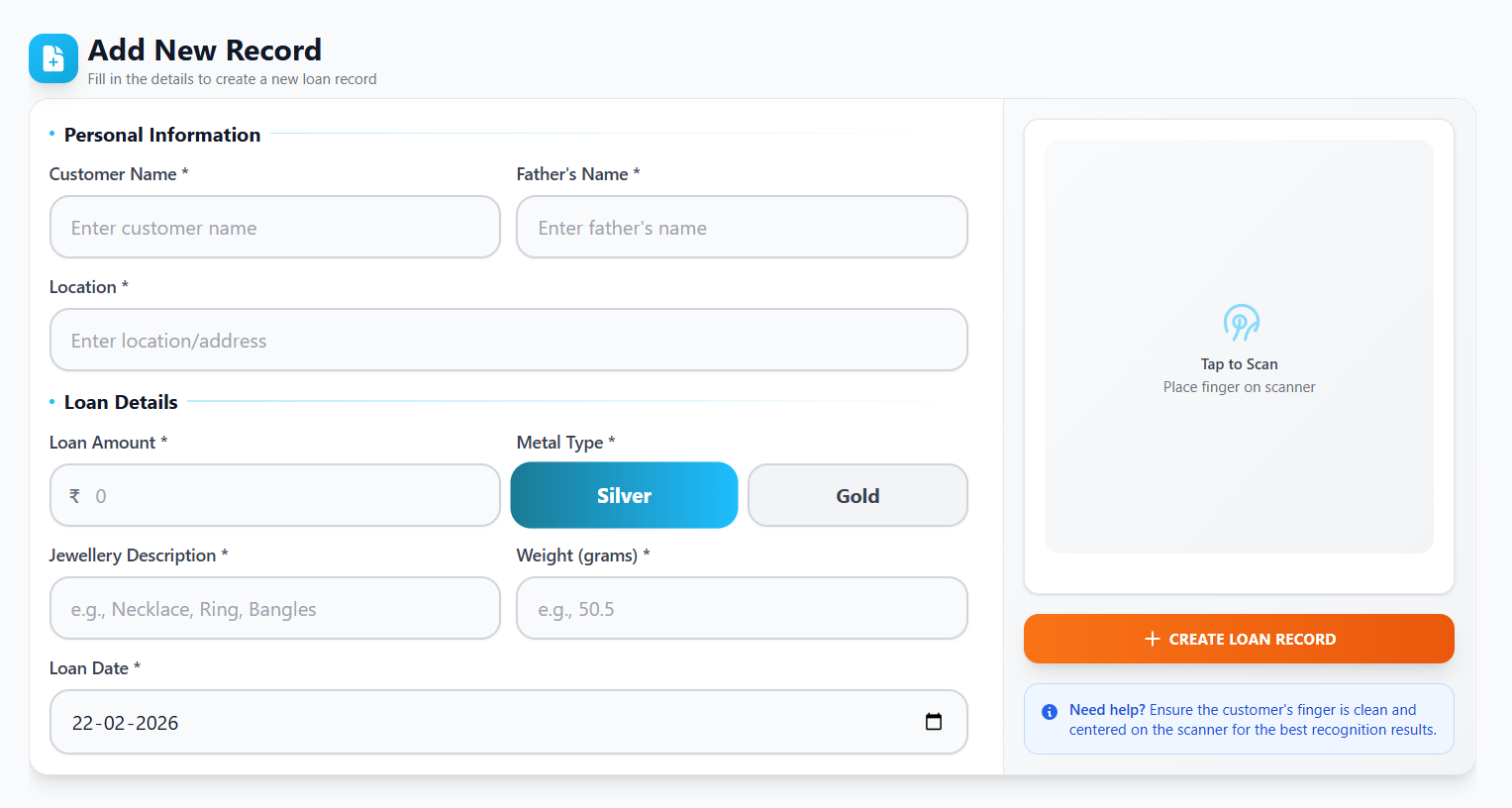
Add New Record
Create validated customer loan entries with structured fields and guided flow.
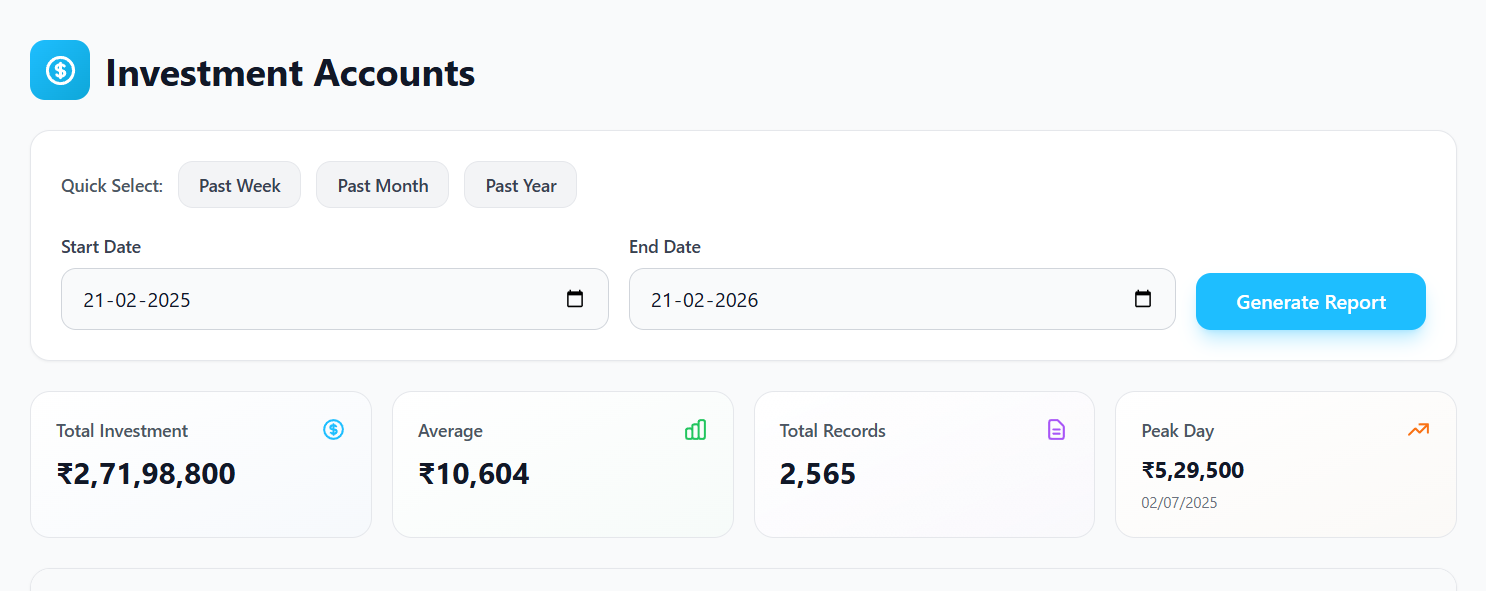
Account Management
Review customer account history, balances, and repayment progress in one place.
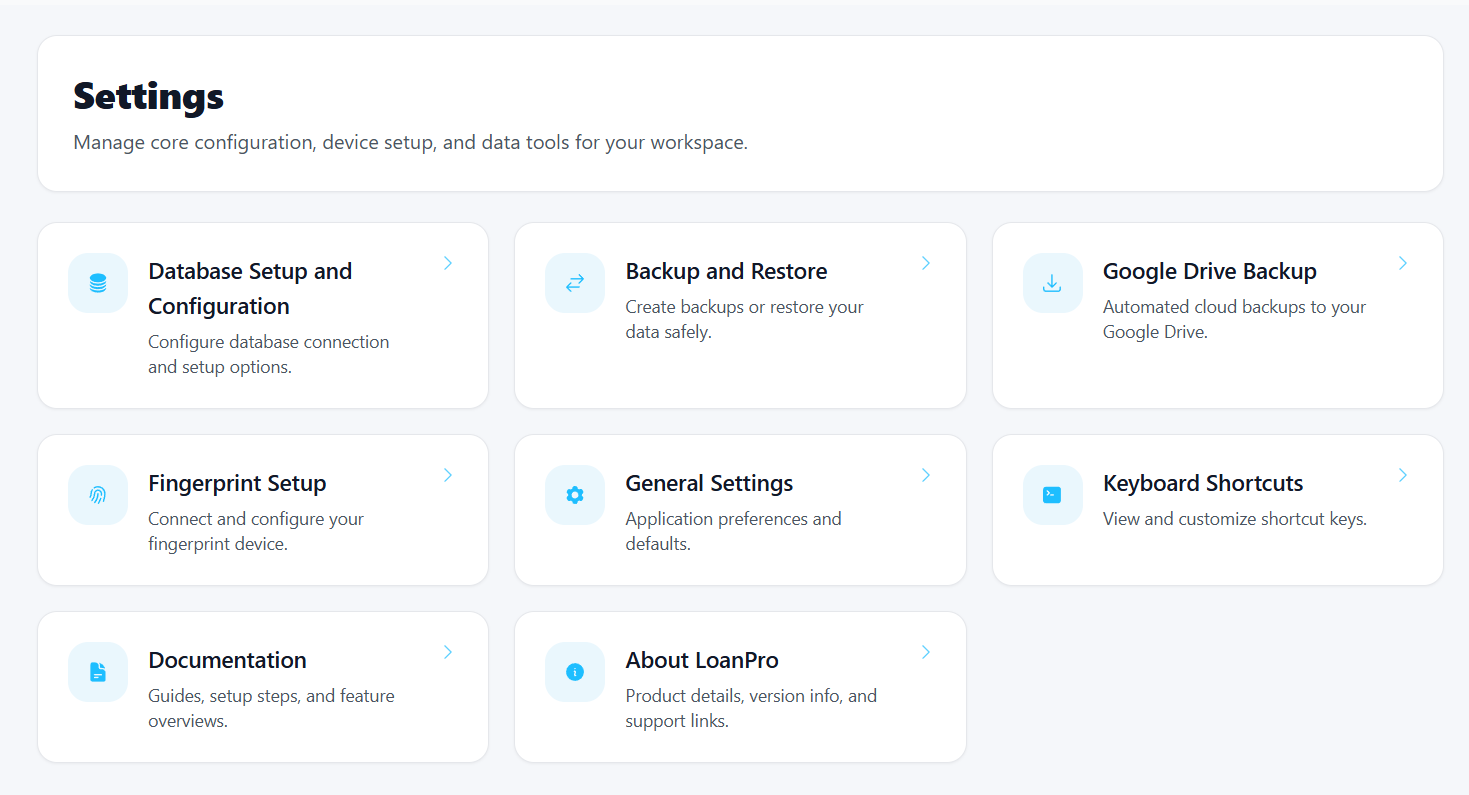
Settings
Configure office profile, device setup, backup preferences, and workflow behavior.
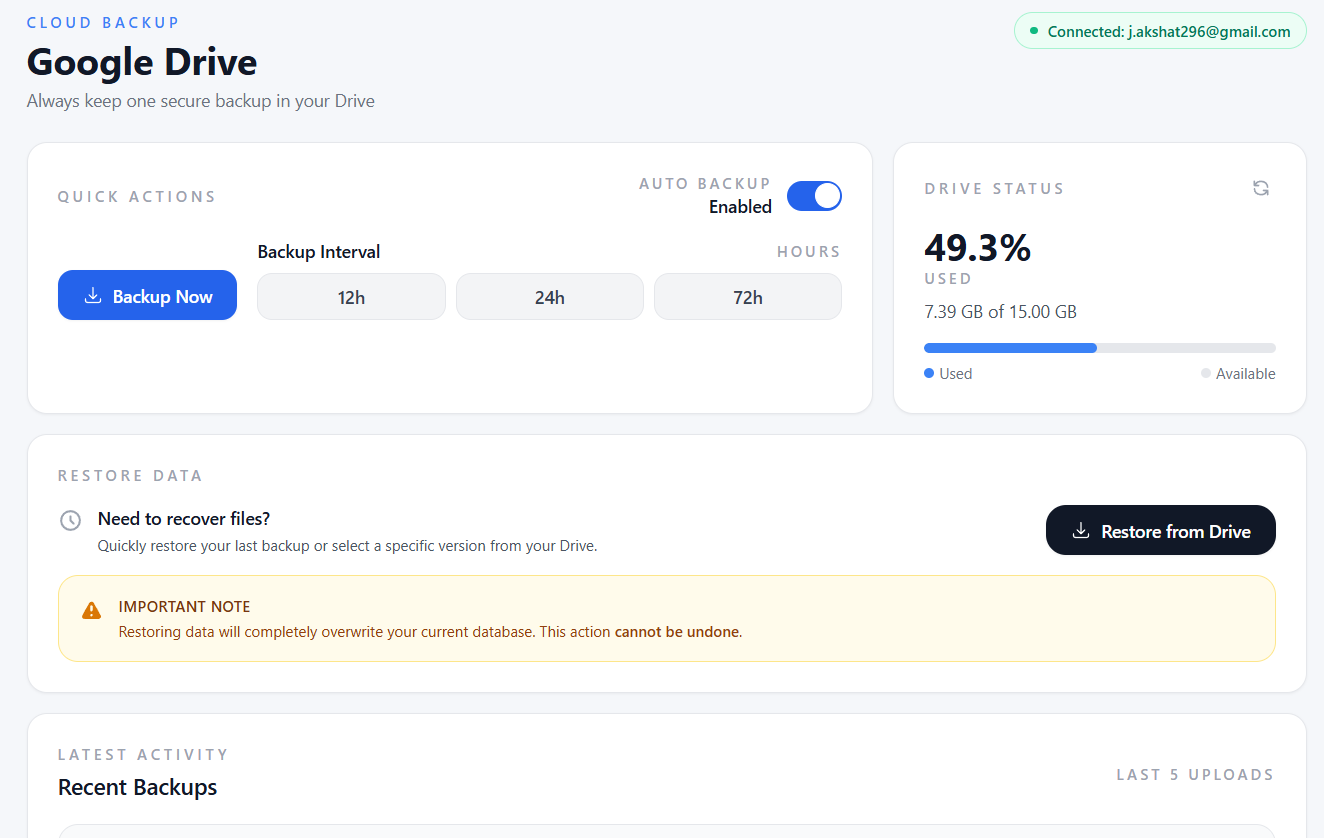
Cloud Backup
Schedule secure backup cycles and keep operational data recoverable over time.
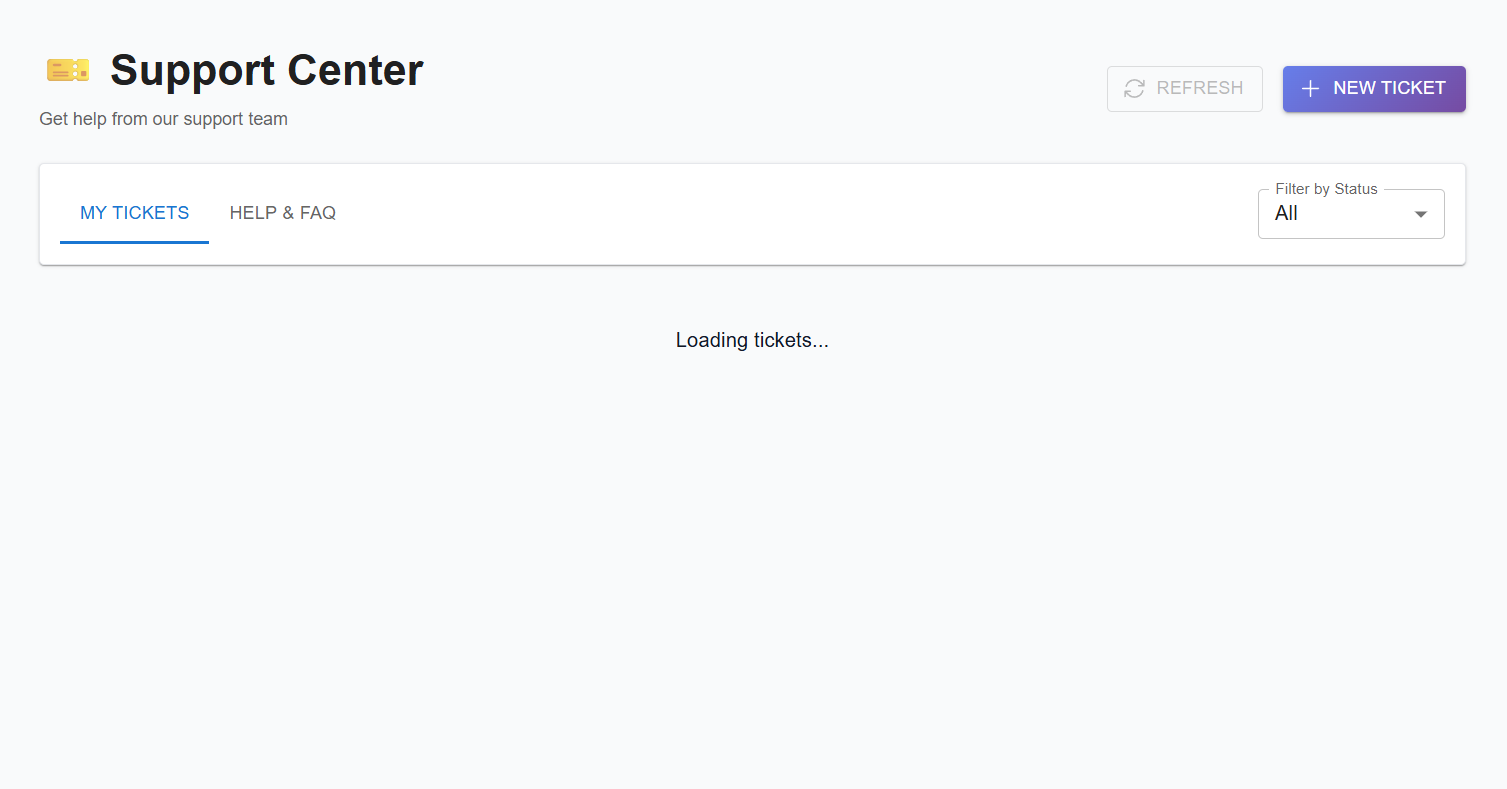
Support Tickets
Raise support requests with context and track updates through your support flow.
Why choose LoanPro Desktop
Simple Dashboard
Track your daily cash, total loans, and total collections easily.
Customer Photos
Easily capture photos of customers and items directly from your Android phone.
Works Offline
Your app works perfectly fine even if your shop internet connection is slow or drops.
Cloud Backup
Automated backups to Google Drive keep your records completely safe.
Cash Tracking
Keep a clean record of all deposits, payments, and withdrawals.
Simple Reports
See which customers owe you money and exactly how much profit you made.
Go live in three practical steps
Set up your desktop app, authenticate your workspace, and enable capture workflows for operational readiness.
Install the desktop app
Download LoanPro for Windows from the official page and complete guided installation on your operations system.
Connect your account
Add organization and device details, then authenticate using your account access token from your profile.
Enable Android photo capture
Pair your Android phone, allow camera permission, and start capturing customer photos during loan workflows.
System requirements
Check your system before installing:
- Windows 10 or later (64-bit)
- 4 GB RAM minimum (8 GB recommended)
- 500 MB free disk space
- Internet connection for cloud sync
- Android phone with camera (for companion photo capture)
- Active subscription plan
Once all items are checked, proceed with installation and account authentication.
Installation guide
Follow these steps:
- 1
Download
Use the official Download for Windows button shown on this page.
- 2
Run
Open LoanPro.Setup.latest.exe from your Downloads folder and allow required permissions.
- 3
Install
Complete the setup wizard and choose your preferred installation location.
- 4
Launch & login
Open LoanPro, sign in, and complete initial workspace setup.
If SmartScreen appears, select More info and then Run anyway to continue with installation.
Bind your device
Pair your phone for photo capture (Pro plan)
Easily take customer photos from your Android phone and save them to your computer automatically.
Install companion app
Install the LoanPro companion application on your Android phone.
Pair the device
Pair your phone from the Devices section inside desktop settings.
Allow camera access
Grant camera permissions so capture requests can be completed successfully.
Use in workflow
Capture photos during record creation and verify them during repayment or closure.
If pairing fails, verify phone and desktop are on the same network, re-open device settings, and retry pairing before contacting support.
Troubleshooting & FAQs
Need help getting started?
Call or email us anytime. We can help you install the app and move your paper records to LoanPro.
Support hours: Monday-Saturday, 10:00 AM - 7:00 PM IST